
How to Install Zangi APK on Android
Installing the Zangi Messenger APK is straightforward. Follow these steps for the Zangi Private Free Messenger app download on your Android device in just a few minutes.
Step 1: Enable “Install from Unknown Sources”
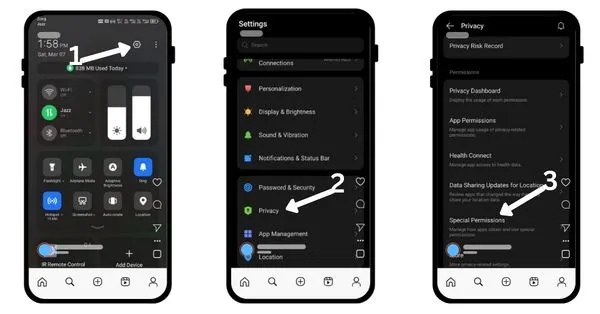
By default, Android devices block the installation of apps from sources other than the official Google Play Store. To install Zangi APK, go through the following permission settings:
- Swipe down on your phone from the top to open your phone’s Settings.
- Tap on Privacy, Apps, or Security (the path varies by device).
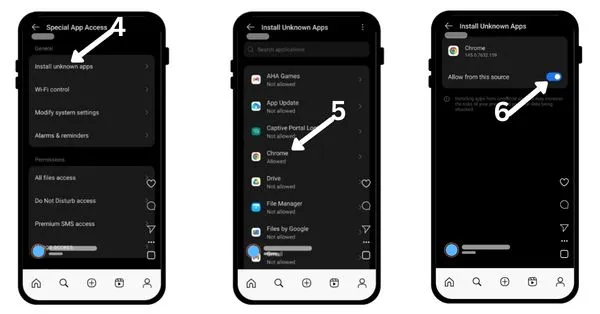
- Find and tap on “Special Permissions“, or “Special app access.” (varies by devices)
- Now tap on “install unknown apps.”
- Select the browser you are using (e.g., Chrome).
- Now turn on “Allow from this source.”
Step 2: Download the APK
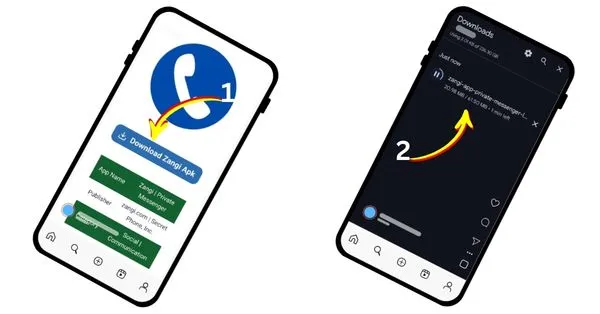
- Navigate to our Home Page.
- Click the “Download Zangi APK” button.
- Wait for the “Zangi messages app download” file to complete on your device.
- You may see a warning message that “this type of file can harm your device”—this is a standard Android security message for any downloaded APK file. Tap “Download anyway.”
Step 3: Locate and Install the .XAPK
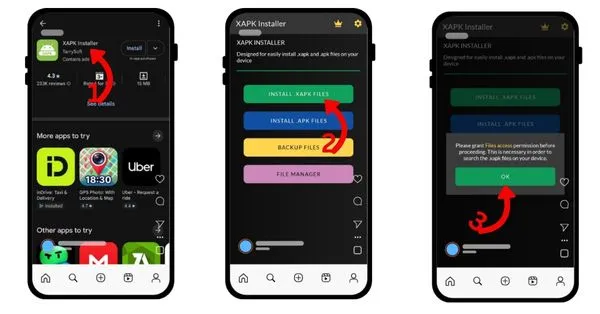
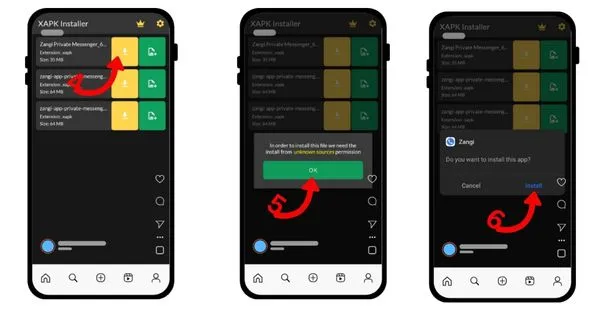
- To install the downloaded Zangi .xapk file on your device, you will need to install XAPK installer from the Google Play Store first.
- Once installed, open it, tap “Install .xapk files” from the available options, then click OK.
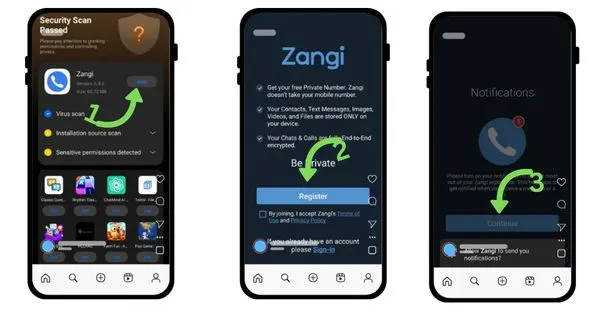
- You will be redirected to the downloaded files. Select the “Zangi private messenger XAPK file” and tap “Install.”
Step 4: Set Up Zangi / Register Zangi
- Once installation is complete, open Zangi app.
- Tap on register and continue.
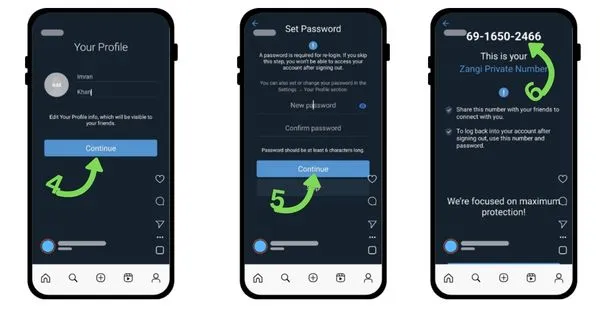
- Fill in your first and last name. (It is not necessary to provide your real name.
- Set the password and click on continue.
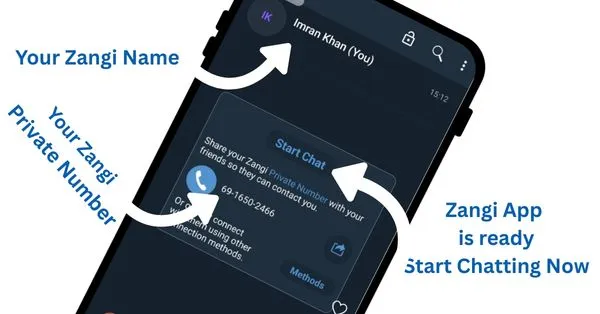
- Zangui will issue you a private number like “69-1650-2466” for using this app.
You are now ready to enjoy secure, HD voice and video calls by the Zangi app with its provided private number.
Important Security Note
We believe in providing you with clean, high-quality files; we always ensure you are downloading the latest version directly from our secure server. We recommend keeping your device’s security software up to date and avoiding APK files from suspicious or unknown third-party websites.
Learn to install Zangi on iOS with an easy step-by-step guide.